
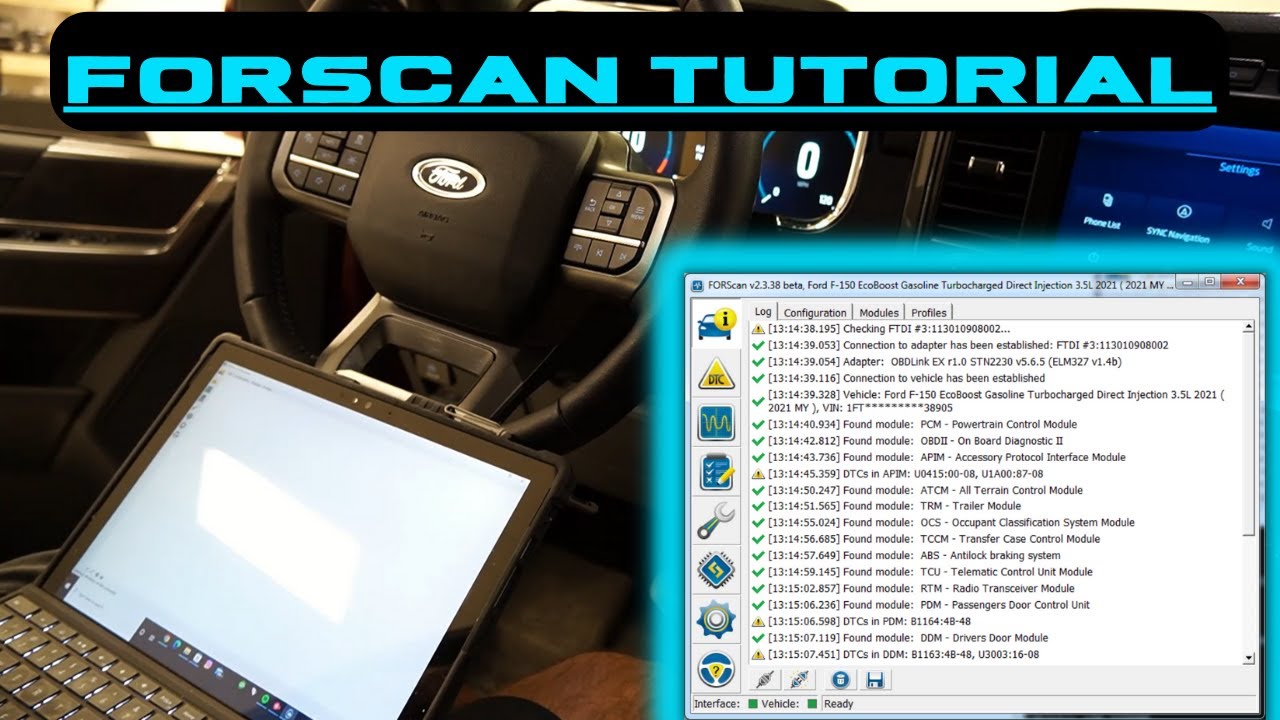
These days, cars rely a lot on electronics and computer programming. If you own a Ford, Mazda, Lincoln, or Mercury, there’s a tool called FORScan that you might want to check out. It’s become a go-to for figuring out what’s wrong with your ride and tweaking certain settings.
FORScan can help you find engine trouble, turn on features that were hidden, or do some serious coding. It makes these tasks simpler, cheaper, and easier to do yourself.
This article will tell you all about it – what makes it tick, how to get the hang of it, what it can do, and why it’s a good choice compared to other car software.
What Is FORScan Software?
FORScan is basically a toolbox for your car, made especially for:
- Ford
- Lincoln
- Mazda
- Mercury
Unlike those regular code readers, FORScan lets you get into the guts of your car’s computer. We’re talking about things like:
- ABS (Anti-lock Brakes)
- BCM (the thing that controls your lights and stuff)
- PCM (the engine’s brain)
- IPC (your dashboard)
- TCM (transmission control)
- Even the AC!
To put it simply: FORScan can see and do way more than these basic scanners.
Why FORScan Is Popular
People dig FORScan because it lets you do the kind of stuff dealerships do, but without the crazy price tag. Here’s why it’s so popular:
- It gives you the full story on what’s wrong.
- You can switch on hidden goodies.
- It plays nice with inexpensive adapters.
- It lets you do serious coding.
- It gets updated all the time.
- It’s pretty simple to pick up, even if you’re just starting out.
All this makes FORScan a winner for car owners, pros, and anyone who’s into cars.
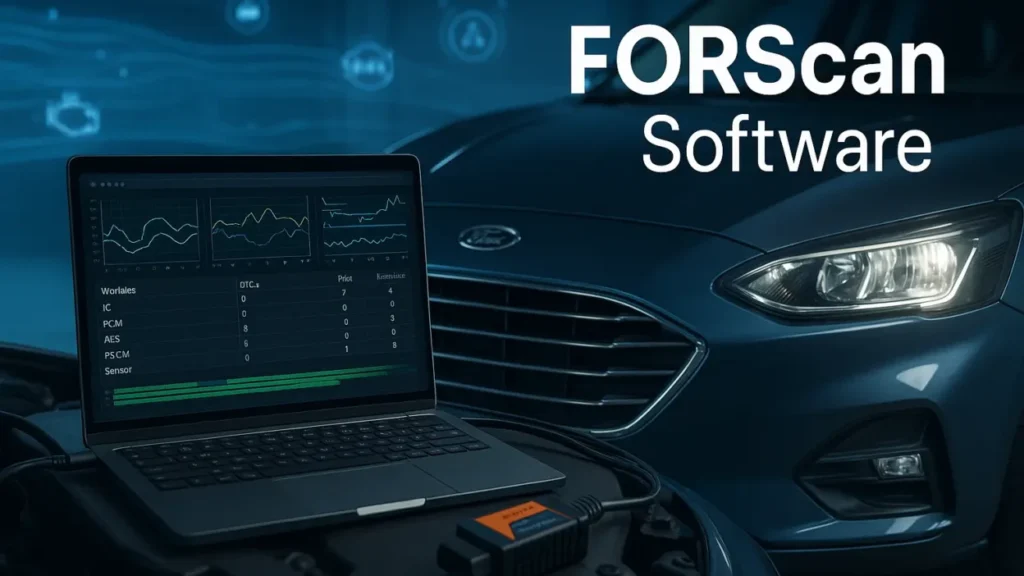
Key Features of FORScan Software
Here’s a quick look at what makes FORScan so useful:
1.Full Diagnostics
- It can read all the normal error codes, plus the ones only the manufacturer knows about.
- It shows you live readings and graphs of what’s going on.
- It spots problems that regular scanners miss.
2.Service Functions
You can do things like:
- Reset the oil change light and battery settings.
- Force DPF regeneration (if you’ve got a diesel).
- Bleed the ABS brakes.
- Set the steering angle after an alignment.
- Reset modules.
3.Coding and Configuration
This is where FORScan gets interesting. You can turn on or off all sorts of features, like:
- Auto door locks
- Daytime Running Lights (DRL)
- Running fog lights with the high beams
- Getting rid of that annoying double honk
- Opening and closing windows with the remote
- Adding a digital speedometer
- Changing the startup screen
- Turning on heated seats
- Messing with traction control
4.Module Programming
FORScan allows you to adjust modules such as:
- BCM
- IPC
- APIM (Sync system)
- ABS
- TCM
5.Compatibility with Affordable OBD Devices
You don’t need those pricey dealer tools. All you need is:
- ELM327 USB
- ELM327 WiFi
- OBDLink EX
- OBDLink MX+
…and you’re good to go.
How to Use FORScan (Step-by-Step Guide)
It’s not rocket science. Just do this:
1: Download FORScan
It’s available for:
- Windows PC
- Android
- iOS
Pick the one that works for your device.
2: Get a Compatible OBD Adapter
FORScan likes these:
- OBDLink EX (the best in my opinion)
- OBDLink MX+
- Decent ELM327 USB or WiFi adapters
Stay away from the super-cheap knockoffs. They can screw things up.
3: Connect the Adapter to Your Car
- Find the OBD-II port – usually under the steering wheel.
- Plug the adapter in.
- Connect with USB, WiFi, or Bluetooth.
4: Launch FORScan Software
- Tell it what kind of car you have.
- Let FORScan do its thing and read all the modules.
You’ll get a list of every system in your vehicle.
5: Choose the Task You Want to Perform
For example:
- Reading error codes? → Diagnostic Trouble Codes
- Looking at live data? → Oscilloscope / Data Stream
- Doing maintenance? → Service
- Changing settings? → Configuration and Programming
6: Perform the Action Carefully
If you’re coding or programming:
- Make backups first.
- Don’t lose power.
- Make changes one at a time.
Hidden Features You Can Enable With FORScan
A lot of people get FORScan just to mess with the settings. Check out some of these options:
- Bambi mode – Run your fogs with the high beams.
- Remote windows – Open/close all windows with the key fob.
- Auto-lock/Auto-unlock
- Digital speedometer
- Traction control settings
- Disable double honk
- Custom startup screen
- Disable seatbelt chime (for off-road only)
These depend on your car, but FORScan can unlock a bunch of them without costing you anything.
Pros and Cons of FORScan
Pros
- Cheap
- Easy to figure out
- Works with Ford-specific stuff
- Great for changing settings
- Works on computers and phones
- Gets updated a lot
Cons
- Only works on Fords, Mazdas, Lincolns, and Mercurys
- You need a decent adapter
- Some of the fancy stuff takes some know-how
- The computer version is better than the phone versions
Safety Tips for Using FORScan
- Always back things up before you start coding.
- Don’t mess with settings you don’t understand.
- Keep your laptop plugged in.
- Use a good adapter so you don’t mess anything up.
- Don’t tweak the PCM/TCM unless you know what you’re doing.
Use Cases: Who Should Use FORScan?
1. Car Owners
- Figuring out what’s wrong
- Clearing codes
- Turning on features
2. DIYers
- Changing car settings
- Adding hidden features
3. Mechanics
- Getting deep into diagnostics
- Doing maintenance
- Resetting modules
4. Fleet Managers
- Keeping an eye on vehicle health
- Saving money on repairs
FORScan Licensing and Pricing
FORScan has a few versions:
1. Free Version
- Basic diagnostics
- Access to most features
2. Extended License
- Needed for some of the advanced stuff
- Good for 2 months, but renewable
- Really cheap
FORScan is one of the most affordable ways to get serious control over your car.
FAQs
Q1. Is FORScan safe to use?
Yeah, if you use it right. Just back everything up first.
Q2. Can FORScan damage my vehicle?
Only if you screw up the programming. Follow the instructions.
Q3. Does FORScan work on all cars?
Nope. Just Ford, Mazda, Lincoln, and Mercury.
Q4. Which adapter should I use?
OBDLink EX or MX+ are your best bets.
Q5. Can I use FORScan without a laptop?
Yes, it works on phones too. But the computer version is better for advanced stuff.
Q6. Do I need internet to use FORScan?
Only for updates and licenses. You can diagnose offline.
Q7. Can FORScan activate hidden features?
Yep! Lots of options depending on your car.
Conclusion
FORScan is a great software for diagnosing Ford, Mazda, Lincoln, and Mercury cars. It’s not pricey, it’s easy to use, and it’s got some serious power. You can get into the nitty-gritty of your car’s systems, mess with hidden settings, and do some pretty advanced stuff that usually only the pros can do – all without having to pay dealer fees.
No matter if you’re just starting out, like to tinker with your car in your free time, or you’re a pro mechanic, FORScan has got you covered. It’ll help you figure out what’s going on with your car, fix it, and even tweak it to your liking. Just grab the right OBD adapter, be careful, and you can turn your ride into something special that fits you perfectly and runs like a dream.
If you’re looking to get the same kind of control over your car that the dealership has, but from your own garage, FORScan is definitely something to think about.