
Music production has really changed over the past ten years. Musicians don’t have to have pricey equipment or complicated studios to create great music anymore. Now, software lets anyone—whether you’re just starting out or you’re a pro—make, arrange, and play music using just a computer.
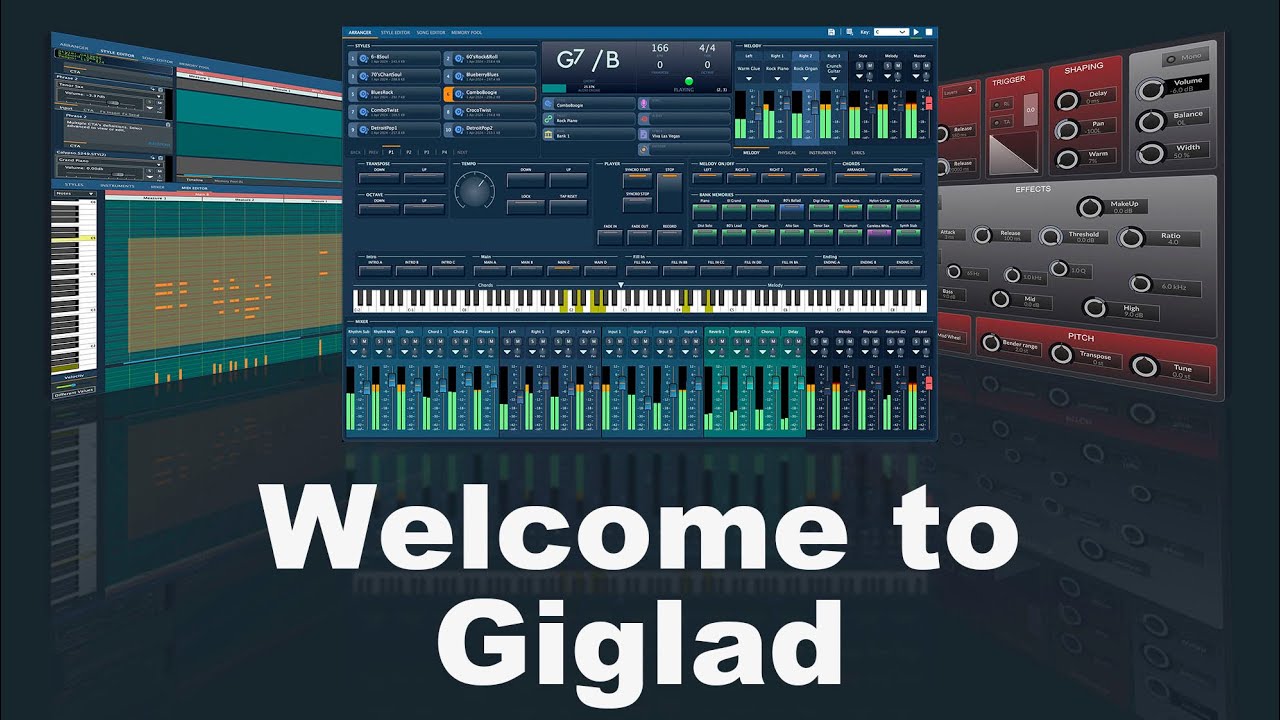
One option that’s getting noticed is Giglad Software Arranger Premium. People like it because it’s good for playing live, has sounds that seem real, and is simple to use. It’s becoming a favorite for keyboard players, stage performers, people with home studios, and those who arrange music on their computers.
This article will tell you everything about Giglad Software Arranger Premium. I’ll go over what it can do, who it’s for, what you need to run it, how to get started, some common questions, and a final thought to help you decide if it’s right for you.
What is Giglad Software Arranger Premium?
Giglad Software Arranger Premium is like having a music arranger and workstation on your computer, and it’s made for:
- Live stage performers
- Studio musicians
- Keyboard players
- Music creators
- DJs and live music programmers
Think of it as a keyboard that arranges music, kind of like the Yamaha Genos, Korg PA series, and Roland E-Series, but it’s all on your computer.
Key goals of Giglad:
- Put the features of a hardware arranger into software
- Give you sounds that are so real, you can use them for professional work
- Make it easy to create styles, chords, rhythms, and layers
- Let you play smoothly live and control things as you go
The Premium version has extras like instruments that sound real, total control over the arranger, good mixing tools, and it works with MIDI.
Who Is Giglad Software Arranger Premium For?
Giglad is great for lots of people. Here’s who will get the most out of it:
1. Home Studio Musicians
If you’re making music at home and don’t want to spend a ton on instruments, this is awesome.
2. Live Performers
Singers and stage performers can use Giglad to have a full band sound with them.
3. Keyboard Players
It’s a software that does the same thing as those big, heavy keyboards.
4. DJs & Music Programmers
This is good for making your own beats, loops, and background music.
5. Composers
It helps you get your song ideas, melodies, and arrangements down quickly.
Features of Giglad Software Arranger Premium
Giglad Premium has a bunch of stuff that pros will love.
1. Realistic Sounds and Instruments
- Instrument packs that sound great
- Acoustic sounds that seem real (piano, guitar, drums, strings)
- Synthesizers and electronic sounds
- Drum kits that change with how hard you hit the keys
- You can add VST plugins
2. Style Arranger Engine
Giglad has a cool arranger tool where you play chords, and the software makes:
- Rhythm
- Bassline
- Chord backup
- Melody layers
So, it’s just like those popular arranger keyboards.
3. MIDI Compatibility
You can hook up:
- MIDI keyboards
- Digital pianos
- External controllers
- Pedals
Which makes playing live super easy.
4. Live Performance Controls
- Start/Stop
- Intro/Ending
- Variations A/B/C/D
- Fill-ins
- Change the tempo
- Transpose
- Mixing as you play
5. Style Creation Tools
You can build your own:
- Drum patterns
- Basslines
- Chord progressions
- Layers with different sounds
6. Recording and Editing Tools
Giglad Premium lets you:
- Record multiple tracks
- Sequence MIDI
- Edit songs
- Save music as WAV or MP3
7. User-Friendly Interface
It’s simple to use, whether you’re new to this or you’re a pro.
System Requirements
Before you install, check if your computer is good enough.
Minimum Requirements:
- OS: Windows 7/8/10/11
- RAM: 4 GB
- Processor: Core i3 or similar
- Storage: 2 GB free
- Sound Card: Regular sound card
Recommended for Best Performance:
- OS: Windows 10 or newer
- RAM: 8–16 GB
- Processor: Core i5/i7
- Storage: SSD drive
- Audio Interface: Card that supports ASIO
How to Install and Set Up Giglad Software Arranger Premium
Getting Giglad installed is easy. Here’s how:
1: Download the Installer
Get the Giglad Premium installer from their website or a trusted seller.
2: Extract and Run Setup
- Unzip the file
- Open the setup.exe file
- Just follow what it says on the screen
3: Choose Installation Location
Pick a folder where you want to install the software.
4: Install Sound Libraries
Giglad Premium has extra sound packs. Install them to get the best sound.
5: Connect Your MIDI Keyboard
Use a USB or MIDI cable → The software should find it without you doing anything.
6: Configure Audio Settings
Pick:
- ASIO driver (this helps reduce delays)
- Output device
- Buffer size
7: Load a Style or Sound
Now you can play using:
- Arranger styles
- VST instruments
- MIDI layers
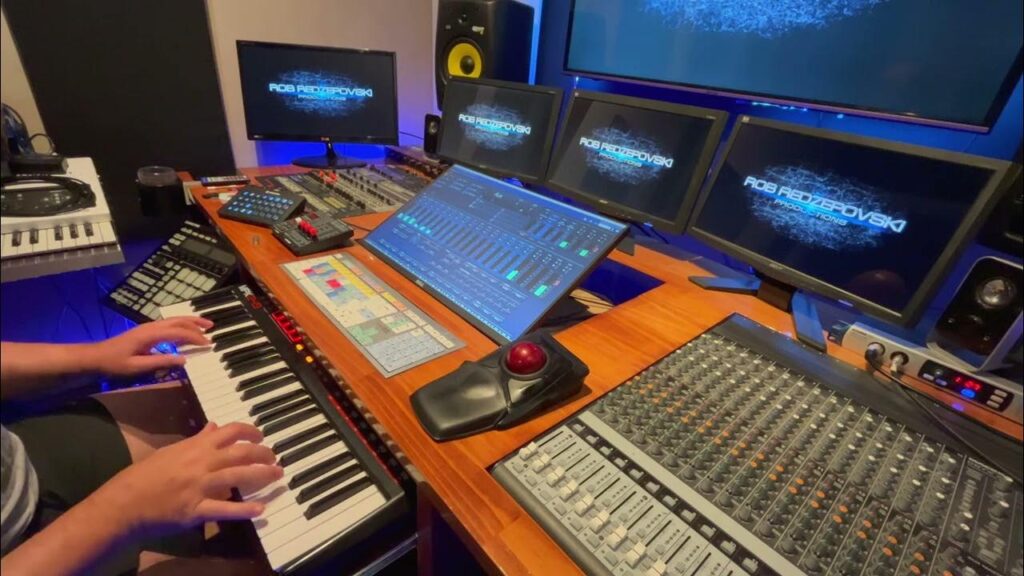
How to Use Giglad Software Arranger Premium (Beginner Guide)
Here’s a quick guide if you’re just starting.
1: Select Your Instrument
Pick an instrument like piano, guitar, or synth.
2: Open a Style
Choose a style like Pop, Rock, Jazz, Indian, Turkish, or Arabic.
3: Play Chords
Play chords on your MIDI keyboard, and the arranger will automatically add:
- Bass
- Drums
- Rhythm guitar
- Pads
4: Add Variation
Switch between different parts of the song:
- Intro
- Variation A/B/C/D
- Fill-ins
- Ending
5: Record Your Performance
Use the recorder to capture your entire song.
6: Edit Your Track
Change MIDI notes, adjust volumes, and clean up the arrangement.
7: Export
Save your song as:
- MP3
- WAV
- MIDI file
Benefits of Using Giglad Software Arranger Premium
Giglad Premium has a lot of good things for today’s musicians.
1. Affordable Alternative to Hardware
Hardware arrangers can be pricey:
- $1500 to $5000
Giglad doesn’t cost as much and does similar stuff.
2. All-in-One Solution
Giglad can do the work of:
- Arranger keyboard
- DAW software
- MIDI sequencer
- A workstation with many instruments
3. Live Performance Ready
Great for stage artists who need:
- To set up fast
- Good, reliable sound
- To control things as they play
4. Lightweight and Portable
All you need is:
- A laptop
- A small MIDI keyboard
5. Endless Customization
You can add:
- VST plugins
- Your own samples
- Styles that you like
FAQs
Q1: Is Giglad Software Arranger Premium good for beginners?
Yes. The simple way it looks and the guided controls make it easy to learn how to arrange music.
Q2: Does Giglad need a MIDI keyboard?
You can use your computer keyboard, but a MIDI keyboard is way better.
Q3: Can I add VST instruments to Giglad?
Yes, the Premium version works with VST and VSTi plugins.
Q4: Is Giglad better than hardware keyboards?
If you want something you can carry around and that doesn’t cost much, yes. But if you want something that feels super well-made and sounds as real as possible, hardware keyboards are still better.
Q5: Does it work if I’m not online?
Yes, once it’s installed, it works without the internet.
Q6: Can I use Giglad when I play live on stage?
Definitely—it’s made for playing live with smooth changes.
Q7: What kinds of music can it do?
Pop, Rock, Jazz, Eastern, Arabic, Indian, Turkish, Folk, and lots more.
Conclusion
Giglad Software Arranger Premium is a great tool for making music. It’s not too expensive, and it does a lot. No matter if you’re new to arranging or you’re a pro playing live, Giglad has stuff that can do what expensive keyboards do, but for less money.
Being able to work with VST plugins, the real instrument sounds, being able to use MIDI, and the tools for playing live make this a great choice for musicians today.
If you want a workstation for arranging that has everything you need but you don’t want to spend a bunch of money on hardware, Giglad Software Arranger Premium is one of your best bets.